
Draw Azure architecture diagrams online with your team
Join users collaborating on Sketchboard.
Sketch Azure diagrams on a collaborative board where architecture, discussion notes, and review feedback stay visible together. Sketchboard works well when your team needs more structure than a blank whiteboard, but still wants the flexibility to explore ideas before the design is final.
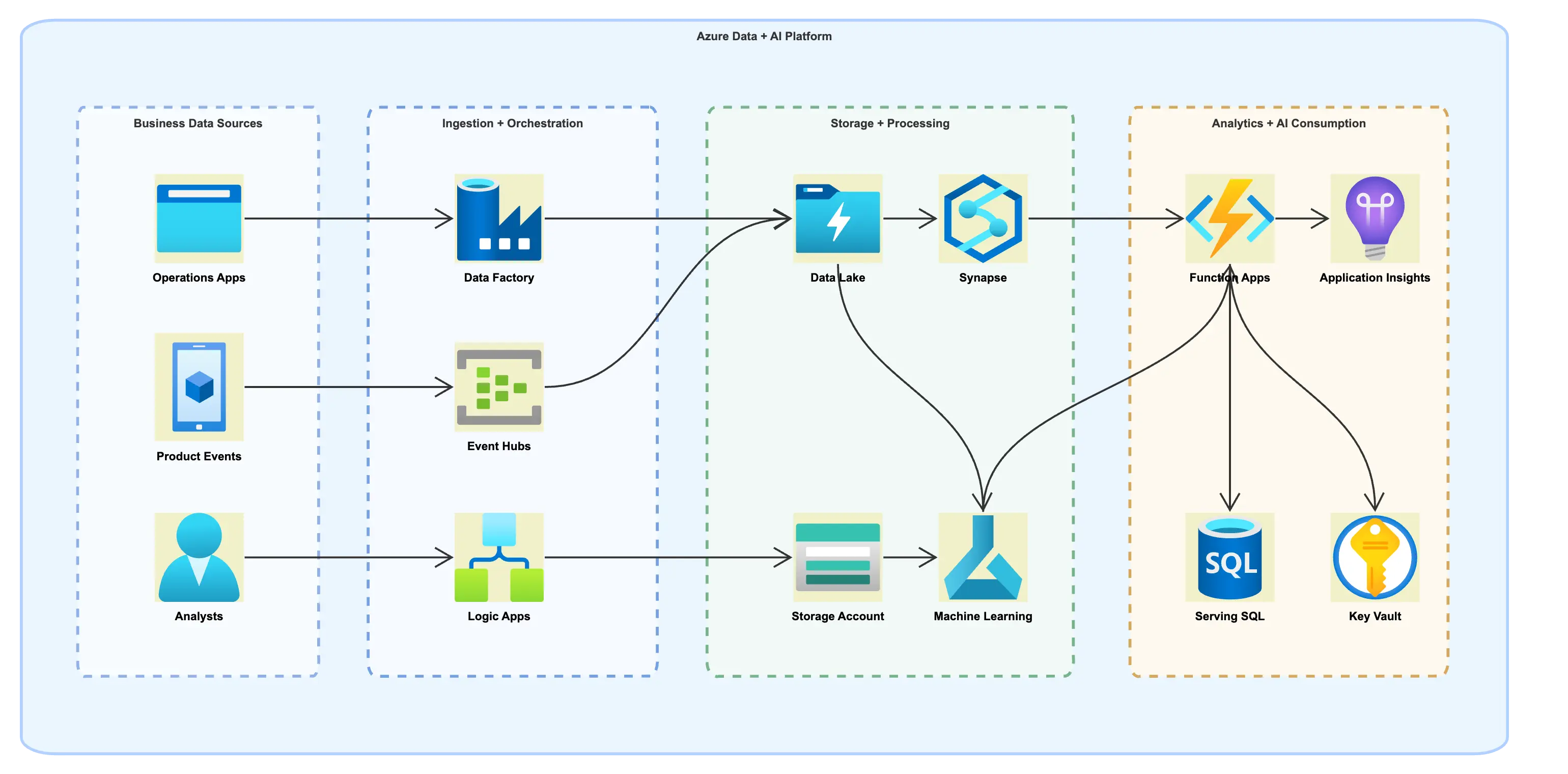
Azure diagramming for software and platform teams
Sketchboard helps teams create Azure architecture diagrams with enough structure for technical planning while keeping the whiteboard flexibility needed for discovery, tradeoff discussions, and visual reviews.
If you want the broader product overview, visit the online whiteboard . If you are ready to compare usage limits and collaboration features, review pricing .
Azure icon workflows on one board
Sketch cloud services, data flows, notes, and review comments together instead of separating architecture discussion from the diagram itself.
Built for collaborative architecture reviews
Use one shared canvas for platform engineers, developers, and product stakeholders to iterate on Azure architecture decisions in real time.
Flexible from rough idea to structured diagram
Start with a rough whiteboard, then refine the same board into a cleaner architecture diagram without switching tools halfway through the review.

Find Azure icons quickly in the shape library
Sketchboard includes official Azure icons in the shape library, so teams can search for services directly while diagramming instead of maintaining a separate icon index or rebuilding cloud shapes by hand.
The Azure library covers sections such as Compute, Containers, Databases, Networking, Identity, Integration, Security, Storage, Management + Governance, AI + Machine Learning, IoT, Web, making it easier to move from rough architecture ideas into more structured Azure diagrams on the same board.
That works well when you want to sketch service boundaries, add comments, and keep implementation notes visible while selecting the Azure components you need.
Example Azure diagram scenarios to build on one board
Even before you have a polished architecture diagram, it helps to sketch the main services, security boundaries, and open questions together. Create Azure diagrams for landing zones, app platforms, and event-driven systems on one collaborative board.
Azure landing zone planning
Map subscriptions, resource groups, VNets, identity boundaries, and shared platform services before implementation work starts.
- Subscription boundaries and environments
- Network segmentation and shared services
- Security and identity discussion notes
App platform and data flow
Explain how your web app, APIs, storage, messaging, and observability components work together on Azure.
- Frontend, API, and integration flow
- Data stores, queues, and processing paths
- Operational notes for scaling and ownership
Event-driven integration design
Sketch asynchronous workflows for teams working with event routing, automation, and service-to-service communication.
- Service boundaries and triggers
- Failure paths and retry notes
- Shared review comments for engineering discussions
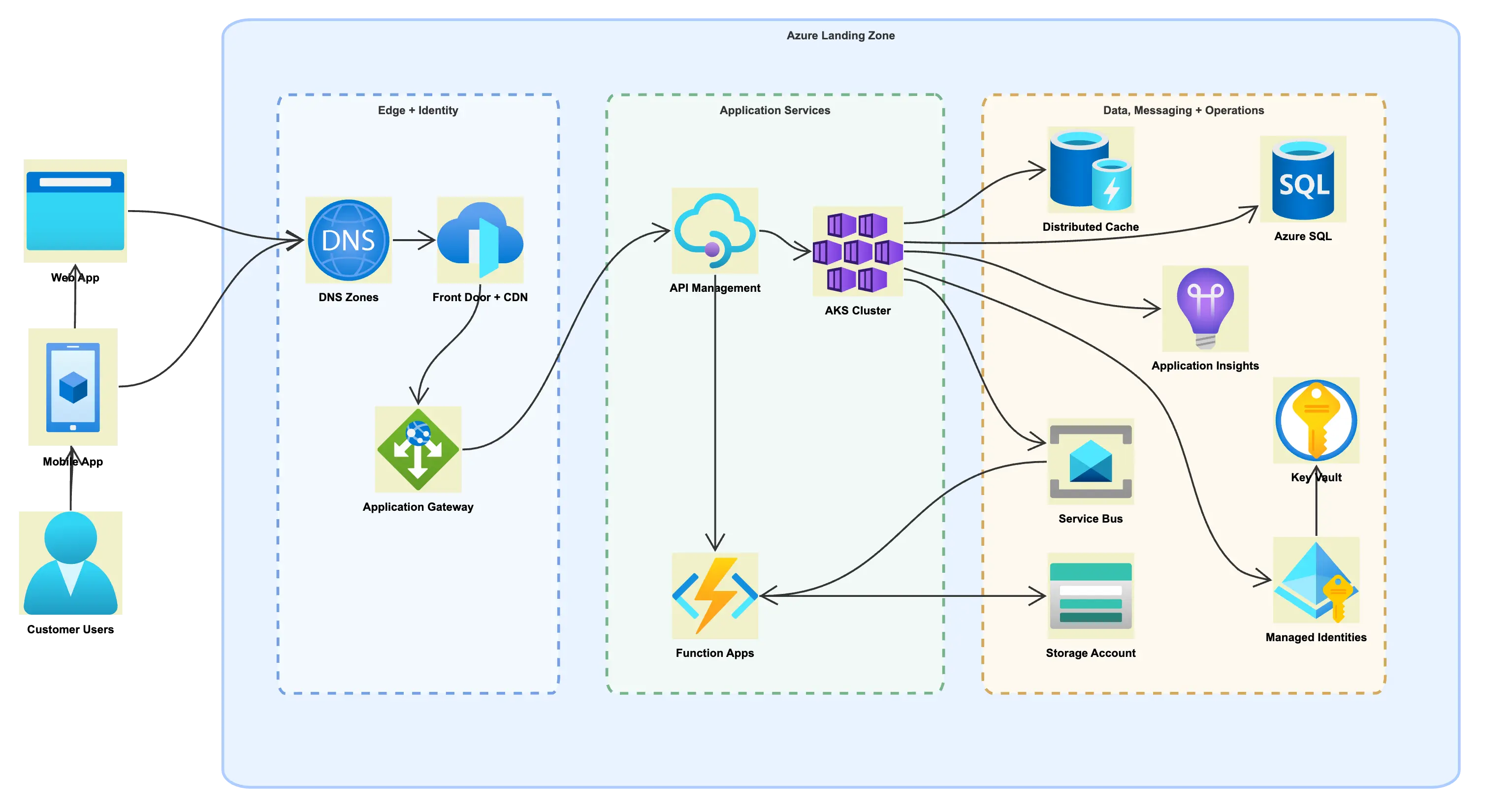
Featured example: Azure SaaS platform architecture
Explore a realistic Azure SaaS platform flow that maps web and mobile clients through DNS, Front Door, and Application Gateway into API Management, AKS, Function Apps, and the core data and operations services around them.
- Azure-native services for ingress, compute, data, messaging, secrets, and observability
- Sketchboard container boundaries to separate edge, application, and operations zones
- A simplified connection map so the example reads more clearly on the page
Use this as the starting point for Azure review conversations, then adapt the same board for your own landing zone, service boundaries, and production concerns.
How teams can create Azure diagrams in Sketchboard
Start with the Azure service names you already know
Open the board and search the shape library by Azure service name while sketching. Keep discovery notes, arrows, and decision points on the same canvas.
Review architecture in real time with the team
Use comments, live editing, and shape connections to walk through the system design together instead of sending static screenshots back and forth.
Export or keep iterating on the same board
When the diagram is ready, keep it as a living architecture board or export it for documentation and handoff.
Related architecture pages
Online Whiteboard
See the broader collaborative whiteboard workflow if you want the main product overview before focusing on Azure-specific diagramming.
Pricing
Compare free, team, and business plans if you need private boards, exports, and stronger collaboration controls for architecture work.
AWS Diagram Tool
Browse the AWS-specific library page if your team diagrams across multiple cloud platforms.
Google Cloud Diagram Tool
Compare with the Google Cloud page when your architecture reviews span Azure and GCP environments.
Frequently asked questions
Can I use Sketchboard for Azure architecture diagrams?
Yes. Sketchboard can be used to sketch Azure architecture diagrams collaboratively, combining cloud components, notes, arrows, and review comments on one shared board.
Are official Azure icons available in Sketchboard?
Yes. Sketchboard includes official Azure service icons in its Azure icon library, so you can build architecture diagrams with recognizable Azure services instead of relying on generic boxes alone.
Can I copy an Azure diagram image into other tools?
Yes. You can quickly copy your Azure diagram as an image to the clipboard and paste it into docs, slides, chat, or other places where you need to share the architecture view.
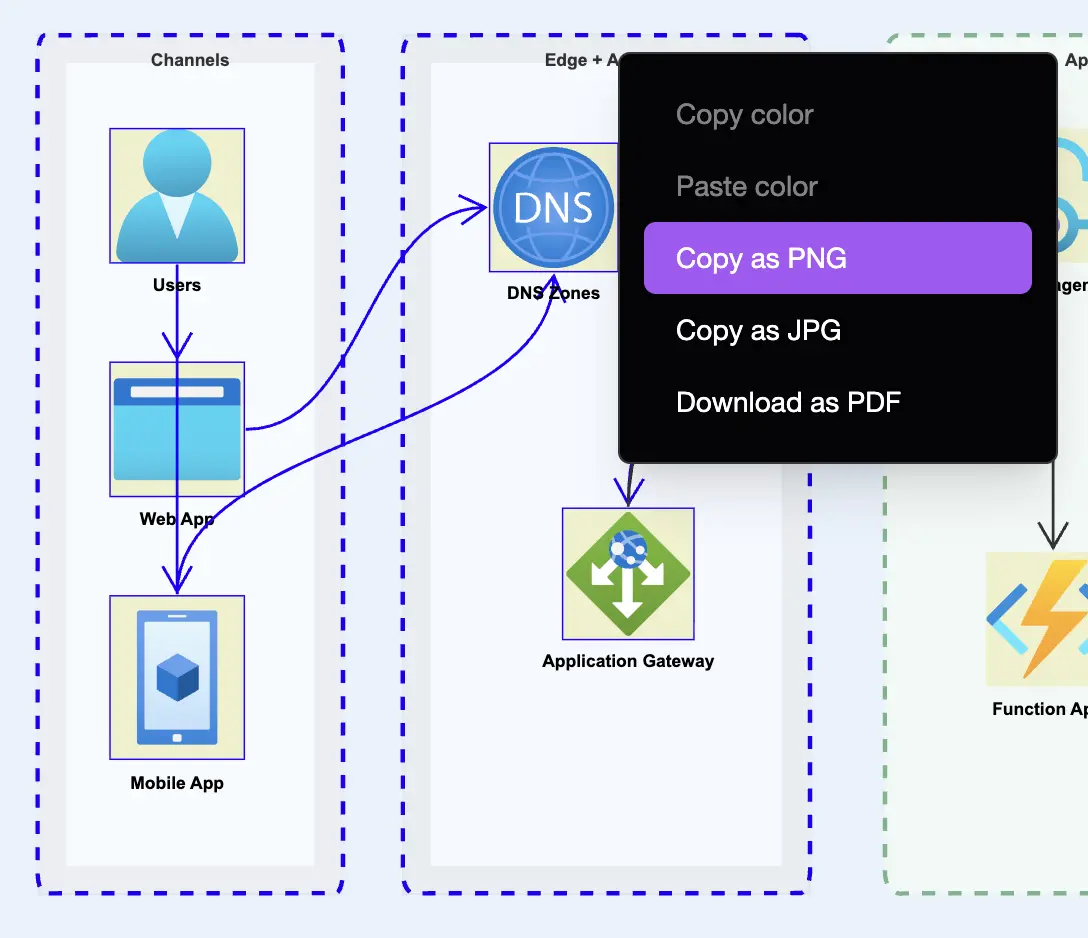
Quickly copy an Azure diagram image to the clipboard
When you need to move an Azure architecture view into slides, documentation, or chat, you can copy the board image directly to the clipboard instead of exporting files first.
That makes it faster to reuse the same diagram in design reviews, status updates, and technical documentation without rebuilding the visual in another tool.