Process Mapping & Workflow Mapping Tool for Teams

Online process mapping and workflow mapping tool to quickly visualize process flows and map business workflows. Whether you call it process mapping, workflow mapping, or business process modeling — Sketchboard's infinite canvas gives your team the flexibility to capture, refine, and share processes visually.

What's the difference between process mapping and workflow mapping? Process mapping focuses on documenting the steps, inputs, and outputs of a business process. Workflow mapping focuses on how work flows between people and systems. Sketchboard handles both — start with a rough workflow map during discovery, then formalize it into a clean process diagram your whole team can reference.

If you are starting from discovery work, use Sketchboard's online whiteboard to sketch the rough workflow first, then compare pricing for private boards, exports, and team-scale collaboration.

Join users to start.

Sign Up - It's Free!
Create a process map online, increase your speed!

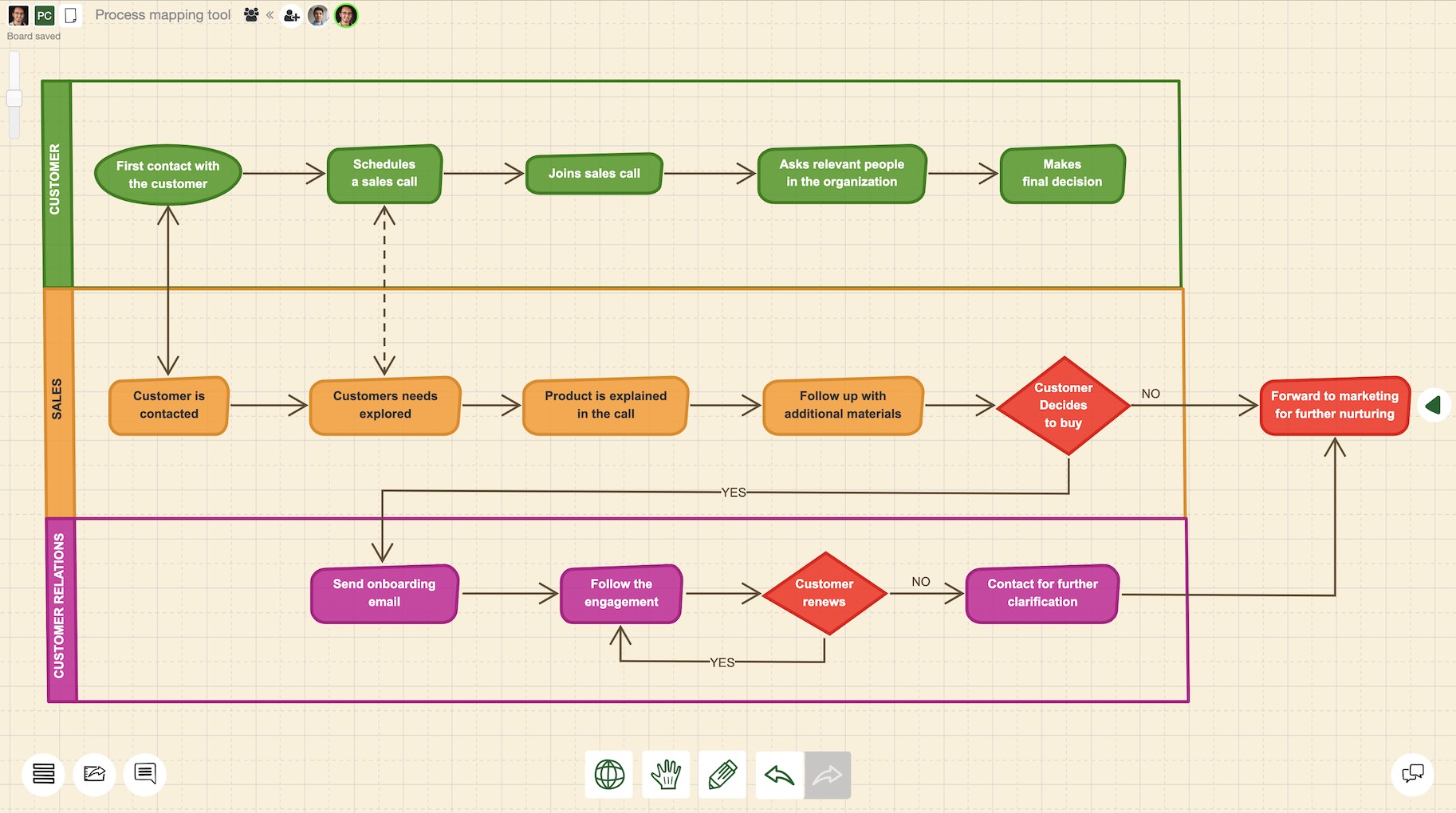
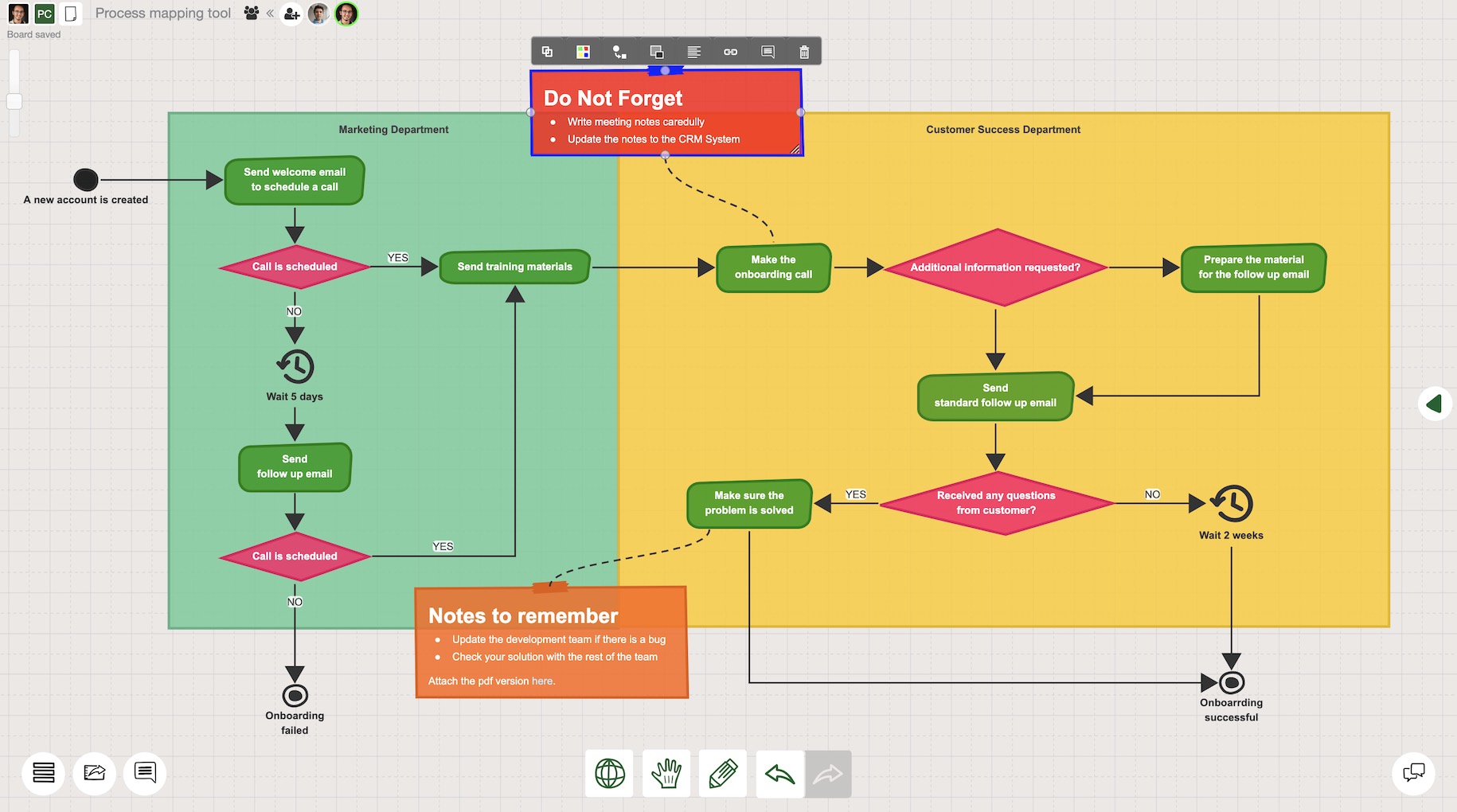
Process mapping example

Process mapping software to boost your efficiency

Process mapping software to boost your efficiency

Visualizing business processes is the key to a more efficient organization. Sketchboard is designed to make business process mapping as easy as possible. Start drafting your process charts immediately and making them better with your team.

Create process flowcharts with ease

Create process flowcharts with ease

Process mapping takes time and requires many iterations. Sketchboard offers the optimum level of flexibility for an experience without any friction. Use 400+ shapes to visualize processes, create easy connections between shapes, and get the best results quickly.

Process mapping takes time and requires many iterations. Sketchboard offers the optimum level of flexibility for an experience without any friction. Use 400+ shapes to visualize processes, create easy connections between shapes, and get the best results quickly.

Business process modeling with collaboration

Business process modeling with collaboration

Collaboration improves the results. Sketchboard provides compact features to create process maps as an effective team. Easily share your process flow maps, integrate with slack, or add a comment to notify your teammate… Build things together!

Visualize processes without any concern

Visualize processes without any concern

A business process mapping tool requires high security and privacy standards to provide the best experience. Sketchboard’s “privacy by design” approach aims to protect your data in a comprehensive manner. Learn more about this on our security page.

A business process mapping tool requires high security and privacy standards to provide the best experience. Sketchboard’s “privacy by design” approach aims to protect your data in a comprehensive manner. Learn more about this on our security page.

Process mapping tool use cases

Sales process flowcharts

Sales process flowcharts

“Sales cures all,” the saying goes. Understanding the current sales process is the first step of improving it. The companies that master sales process visualization can systematically improve their revenue. Process flow maps also help you for onboarding a new sales team or training an existing one.

“Sales cures all,” the saying goes. Understanding the current sales process is the first step of improving it. The companies that master sales process visualization can systematically improve their revenue. Process flow maps also help you for onboarding a new sales team or training an existing one.

Supply chain process mapping

Supply chain process mapping

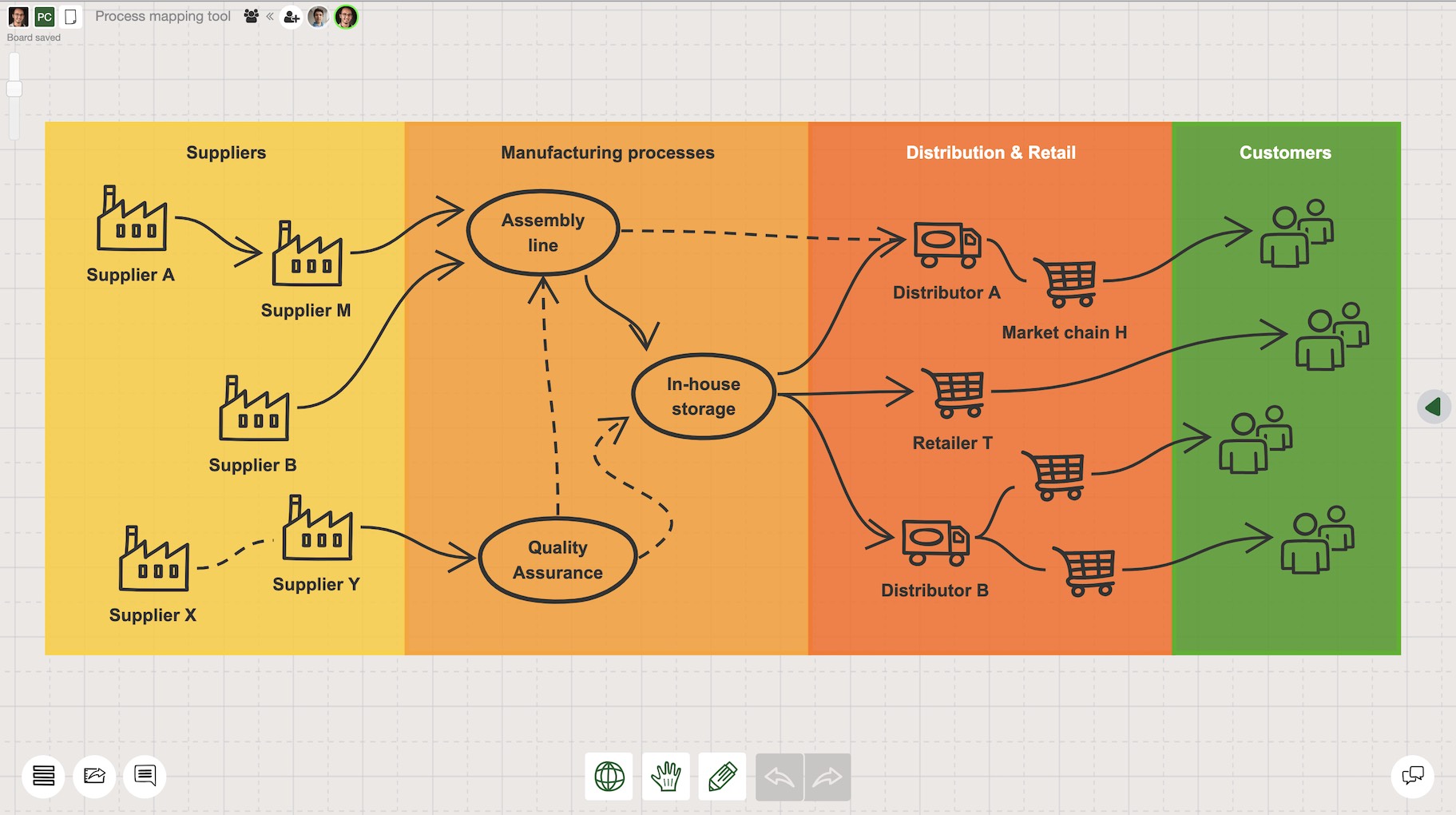
Managing the supply chain is one of the most fundamental topics for many manufacturing companies. Visualizing the supply chain as a process map helps everyone to grasp the big picture more easily. When every team member is on the same page, improving the processes is not a challenge anymore.

Managing the supply chain is one of the most fundamental topics for many manufacturing companies. Visualizing the supply chain as a process map helps everyone to grasp the big picture more easily. When every team member is on the same page, improving the processes is not a challenge anymore.

Project management process modeling

Project management process modeling

Process modeling is the time when optimization and improvement ideas to the existing processes are on the table. Using a mapping tool reduces the time spent during the creation of the models. Instead, the team can have more time to iterate and brainstorm to improve the process models.

Process modeling is the time when optimization and improvement ideas to the existing processes are on the table. Using a mapping tool reduces the time spent during the creation of the models. Instead, the team can have more time to iterate and brainstorm to improve the process models.

Why should I use a process mapping tool?

Process mapping helps you to understand

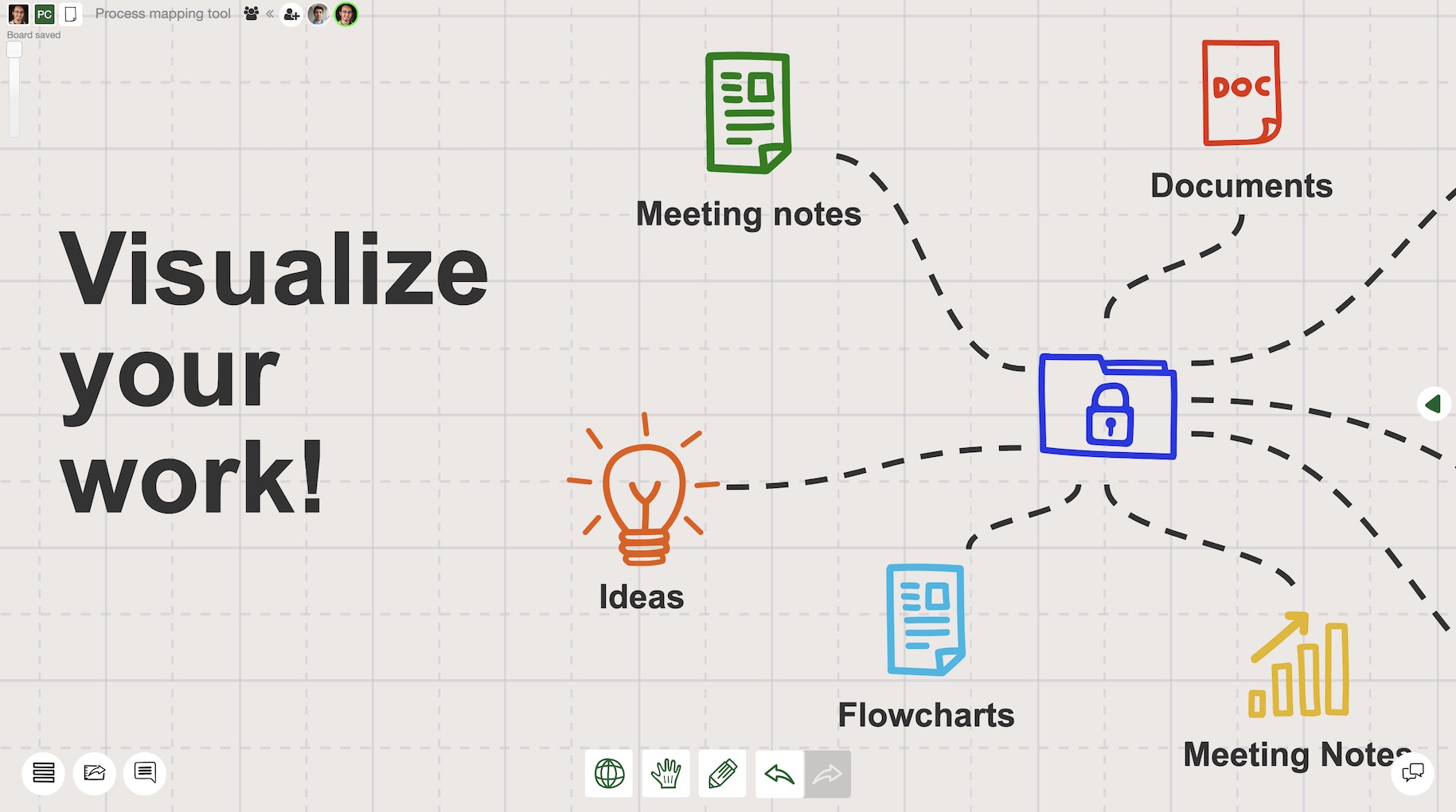
Business process mapping software is your virtual whiteboard where you can brainstorm and visualize your workflows. Process visualization makes complex ideas easier to understand. Once there is a visual map, your team starts to understand your process flows more clearly.

Process flowcharts require collaboration

Creating complex process charts requires input from different perspectives. An online process map creator encourages your team to get involved. It is simpler to share, comment, and discuss your drafts when you have the right collaboration features at your disposal.

Business process modeling is a framework for improvement

A process map creator is even more needed for business process modeling. Using a wide variety of ready-made shapes in a flexible context speeds up the process. Easy editing and tracking of the changes done by other team members add a big value to your process mapping experience.

Process flow maps are created to share

Process flowcharts are very useful tools for visual communication. To get the most out of these process charts, you need to be able to share them with the right people in the right way. Exporting in different formats (such as PNG, PDF, JPEG, or SVG) or integration with different tools such as Google Drive, Slack or Okta makes it easier to move ideas forward.

Process Mapping & Workflow Mapping FAQ

What is process mapping?

Process mapping is the practice of visually documenting the steps, inputs, outputs, and decision points of a business process. A process map shows who does what, in what order, and what happens at each step — making it easier to train teams, identify inefficiencies, and improve operations.

What is workflow mapping?

Workflow mapping focuses on how work flows between people, teams, and systems. Unlike process mapping (which documents the details of each step), workflow mapping visualizes the movement of tasks and information across roles — helping teams spot handoff friction, redundant steps, and automation opportunities.

What is the difference between process mapping and workflow mapping?

Process mapping documents the detailed steps, inputs, and outputs of a specific business process. Workflow mapping shows how tasks and information flow between people, departments, and systems. Think of process mapping as the "what happens" and workflow mapping as the "who does what and how it moves." Sketchboard's process mapping tool handles both — start with a rough workflow map and refine it into a formal process diagram.

What are process mapping tools used for?

Process mapping tools are used to visualize, document, and improve business processes. Common use cases include: documenting standard operating procedures (SOPs), onboarding new team members, identifying bottlenecks in workflows, preparing for automation, demonstrating compliance, and aligning cross-functional teams around how work gets done.

How to create a process map online?

1) Identify the process to map — define the starting point and desired outcome. 2) List all the steps, decisions, and people involved. 3) Open Sketchboard's process mapping tool and start placing shapes on the infinite canvas. 4) Connect steps with arrows to show the flow. 5) Add swimlanes to show who owns each step. 6) Share the board with stakeholders for review and iteration — all online, no software to install.